
Zotero Integration Plugin
Download the XPI file and install it in Zotero. If you're using Firefox, ensure you right-click and save the XPI file instead of simply clicking it.

Instructions:
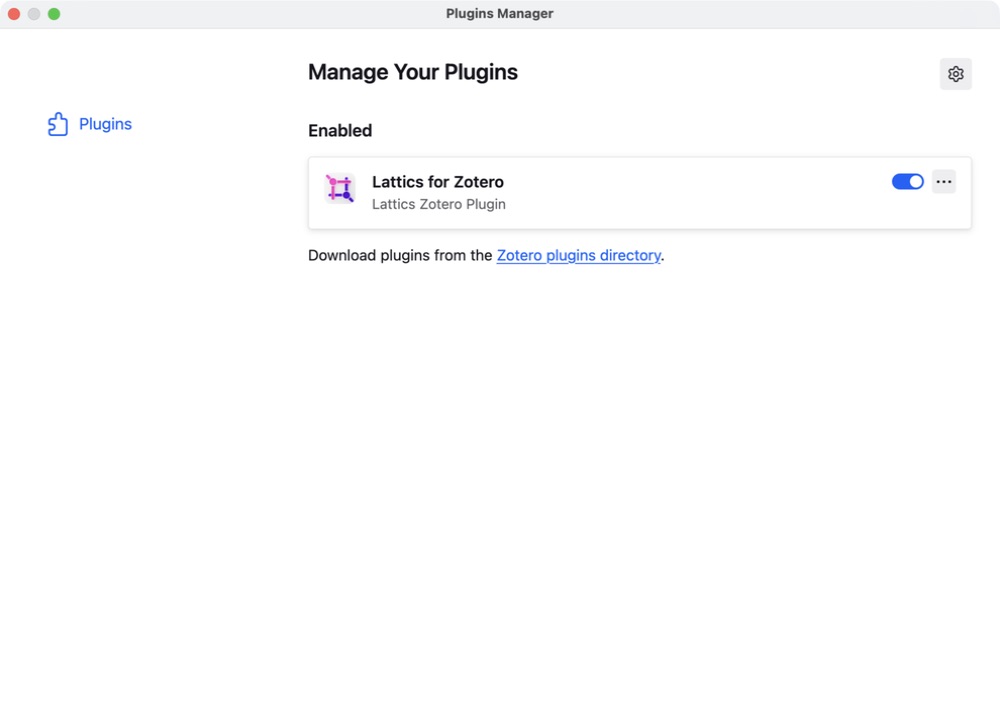
1. In the Zotero main menu go to Tools > Plugins
2. Click on the gear in the top-right corner and choose 'Install Plugin From File…'
3. Choose .xpi that you've just downloaded, click 'Install'
4. Confirm that the Lattics for Zotero plugin is enabled and running
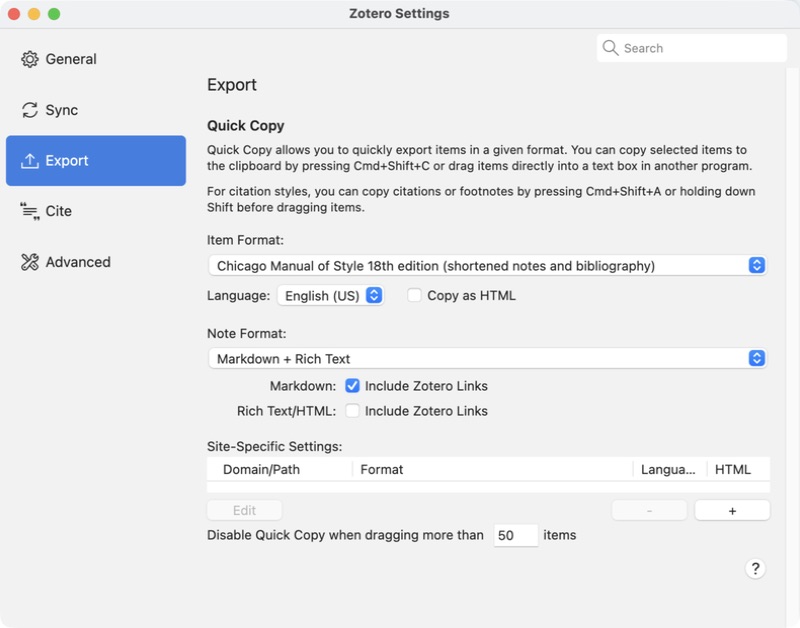
5. In Zotero Settings > Export, make sure 'Include Zotero Links' is checked under Markdown
6. We recommend restarting Zotero before using the plugin
Note: This plugin is developed by the Lattics team for Zotero 7 and later. If you're using Zotero 6, please install the Better BibTeX plugin instead. We recommend using the latest versions of Zotero and the plugin to ensure a consistent and positive user experience.